See the practice, not just the lesson.
TempoSuite gives your piano studio a practice app your students use at home, under your studio’s name. It hears them play, scores every note, and shows you who practised, what they played and where they’re stuck.
- MIDI or microphone
- Parent consent first
- Your studio’s brand
- Piano studios
- Independent piano teachers
- Music schools with piano programs
Practice you can actually see
TempoPiano hears your students play, through a MIDI keyboard or the device’s microphone, scores every note, and tells you how the week went.
- MIDI or microphone
- Works offline
- No practice diaries
Homework with a finish line
Give each student exactly what to practise, with a clear target and a due date, and watch it get done.
- Stars or minutes
- Due dates
- Opens in the right mode
Know who needs you before the lesson
Every student’s week on one page: who practised, who didn’t, and who keeps getting stuck on the same piece.
- Last 7 days
- Stuck songs
- Not practised filter
Your studio’s name in your students’ hands
Students join your studio with a code, and TempoPiano shows your name, your logo and your colours.
- Name, logo and colours
- Live preview
- Readable on every screen
Everything your studio needs between lessons
From a new student’s first day to their recital piece: one app for practice at home, one portal for you and the families.
Practice you can actually see
The app hears every note, scores it, and reports minutes, sessions and stars to the studio.
Practice that listens →Homework with a finish line
Songs, lessons and classical pieces, each with a target in stars or minutes, a due date and a note.
Assignments →Know who needs you before the lesson
Minutes, days against the goal, streaks, overdue work, and songs a student is stuck on.
Practice dashboard →Your studio’s name in your students’ hands
Your name, logo and colours in the student app, from one code, with no app of your own to publish.
Your brand →Parents in the loop, with consent first
Parent consent before anything is collected, a parent’s own view, and their child’s data on request.
Families and consent →One short code, no passwords for children
A one-time code links a student’s device; remove a lost tablet in one click.
Linking the app →A full curriculum, ready on day one
43 step-by-step lessons, 79 songs and a searchable classical library of 763 pieces.
Lessons and library →Your arrangements, for your students only
Upload MIDI, MusicXML or .song files, visible only inside your studio.
Studio songs →Lessons booked, moved and answered in one place
Weekly and one-off lessons, families’ requests to move or cancel, emails, and a calendar-app link.
Lesson scheduling →A website for your studio, included
Your studio’s website: lessons and prices, teachers, events, news, a contact form, and lesson requests from new families.
Studio website →Get paid for lessons, without a second system
A shop on your website, discount codes, gift cards and invoices, paid through your own Stripe or other provider.
Selling and payments →A website that looks like yours, and brings families back
Ten themes, layouts and a live preview, plus a newsletter, an announcement bar, comments and cookieless visitor counts.
Design and marketing →A nudge on the right day
Practice goals, a reminder on the student’s device, and parent emails: nudges, due dates, lessons, a Sunday summary.
Goals and reminders →Built for children’s data from the first line
Consent first, no child emails, no public profiles, no ads in linked apps, data export and deletion.
Privacy by design →Everyone sees the same practice
What the student plays at home is what the teacher and the parent see, as soon as the app is back online.
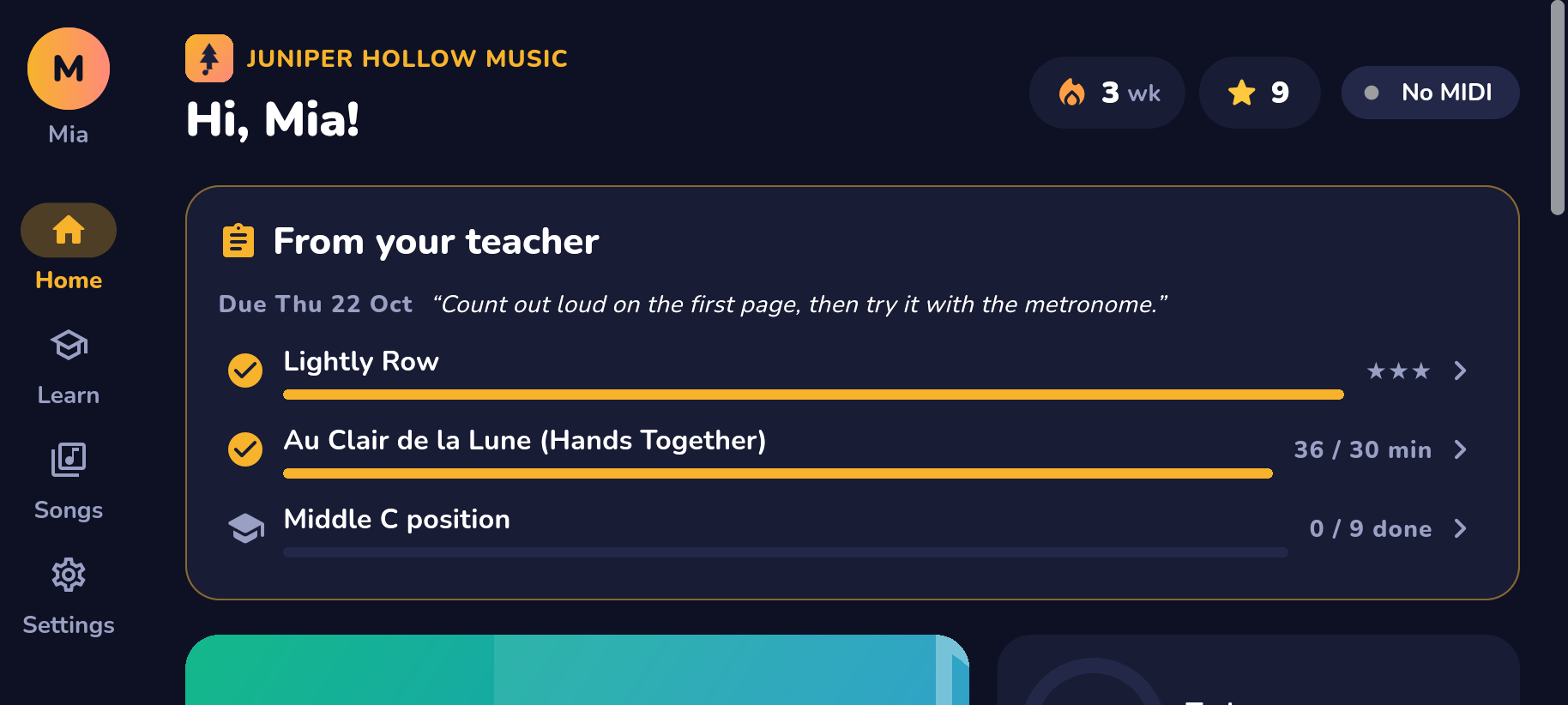 For students
TempoPiano
The practice app: lessons, songs and a classical library, scored as they play. Android phones and tablets.
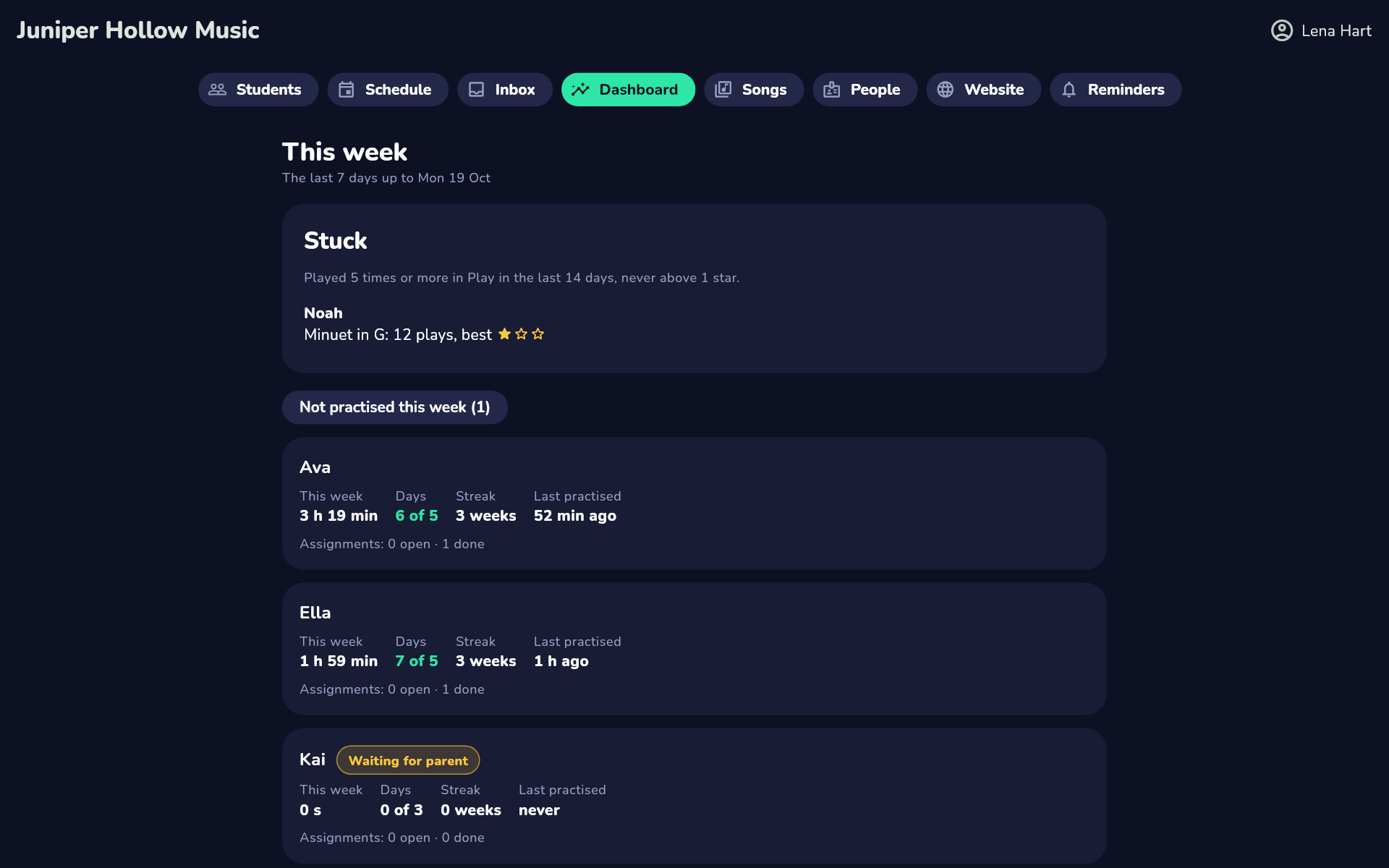 For teachers and owners
The portal
Students, assignments, the practice dashboard, your songs, your people and your brand. In any browser.
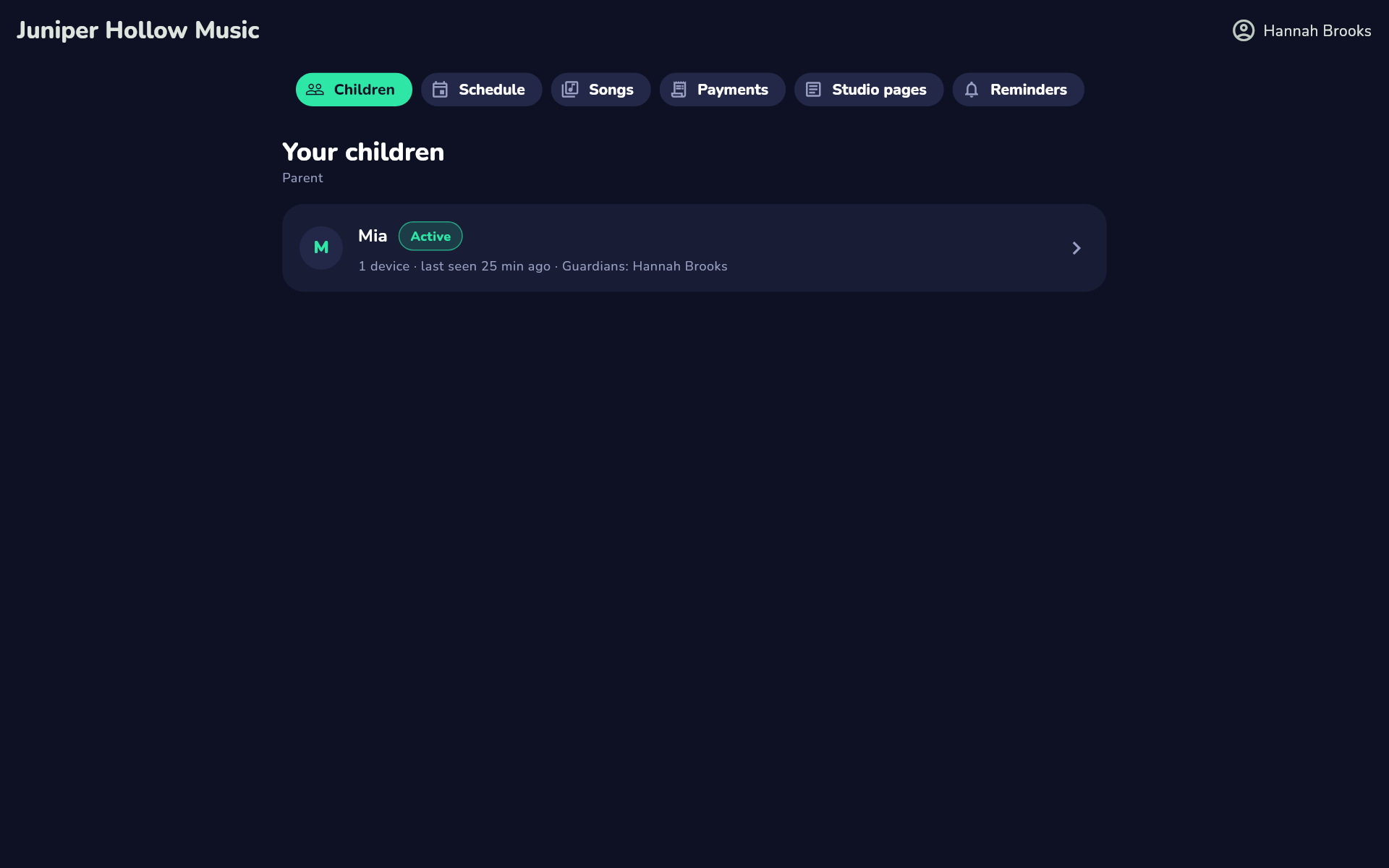 For parents
The portal
Their child’s practice and assignments, email reminders, and their child’s data.
Up and running in an afternoon
Short, narrated walkthroughs of every part of TempoSuite, recorded from the real product.
See it in your studio
Every tutorial is recorded from the real product: a studio set up and branded, a parent's consent, an assignment set, and a week of practice read at a glance.